 |
Gbox 4.20
Grow box automation and monitoring - <a href='https://sites.google.com/site/growboxguy/'>https://sites.google.com/site/growboxguy/</a>
|

|
|
Gbox 4.20
Grow box automation and monitoring - <a href='https://sites.google.com/site/growboxguy/'>https://sites.google.com/site/growboxguy/</a>
|
|
#include <ELClientWebServer.h>
Public Member Functions | |
| ELClientWebServer (ELClient *elc) | |
| Creates a Web-Server instance. | |
| void | setup () |
| Initializes web-server. | |
| URLHandler * | createURLHandler (const char *URL) |
| Creates and registers an URL handler. | |
| URLHandler * | createURLHandler (const __FlashStringHelper *URL) |
| Creates and registers an URL handler. | |
| URLHandler * | createURLHandler (const String &s) |
| Creates and registers an URL handler. | |
| void | destroyURLHandler (URLHandler *handler) |
| Unregisters an destroys an URL handler. | |
| void | setArgInt (const char *name, int32_t value) |
| Sets integer value of a field. | |
| void | setArgInt (const __FlashStringHelper *name, int32_t value) |
| Sets integer value of a field. | |
| void | setArgJson (const char *name, const char *value) |
| Sets JSON value of a field. | |
| void | setArgJson (const __FlashStringHelper *name, const char *value) |
| Sets JSON value of a field. | |
| void | setArgJson (const __FlashStringHelper *name, const __FlashStringHelper *value) |
| Sets JSON value of a field. | |
| void | setArgString (const char *name, const char *value) |
| Sets string value of a field. | |
| void | setArgString (const __FlashStringHelper *name, const char *value) |
| Sets string value of a field. | |
| void | setArgString (const __FlashStringHelper *name, const __FlashStringHelper *value) |
| Sets string value of a field. | |
| void | setArgBoolean (const char *name, uint8_t value) |
| Sets boolean value of a field. | |
| void | setArgBoolean (const __FlashStringHelper *name, uint8_t value) |
| Sets boolean value of a field. | |
| void | setArgNull (const char *name) |
| Sets null value to a field. | |
| void | setArgNull (const __FlashStringHelper *name) |
| Sets null value to a field. | |
| void | setArgFloat (const char *name, float f) |
| Sets float value of a field. | |
| void | setArgFloat (const __FlashStringHelper *name, float f) |
| Sets float value of a field. | |
| int32_t | getArgInt () |
| Returns an HTML field value as integer. | |
| char * | getArgString () |
| Returns an HTML field value as string. | |
| uint8_t | getArgBoolean () |
| Returns an HTML field value as boolean. | |
| float | getArgFloat () |
| Returns an HTML field value as float. | |
Static Public Member Functions | |
| static ELClientWebServer * | getInstance () |
| Returns the singleton web-server instance. | |
Definition at line 118 of file ELClientWebServer.h.
| ELClientWebServer::ELClientWebServer | ( | ELClient * | elc | ) |
Creates a Web-Server instance.
ELClientWebServer(ELClient* elClient)
This method creates a web-server object.
| elClient | Reference to ELClient object. |
Definition at line 43 of file ELClientWebServer.cpp.

| URLHandler * ELClientWebServer::createURLHandler | ( | const __FlashStringHelper * | URL | ) |
Creates and registers an URL handler.
createURLHandler(const __FlashStringHelper * URL)
This method is responsible for creating and registering an URL handler object.
| URL | The URL the handler handles. URL is "/" + the HTML file name + ".json". |
Definition at line 140 of file ELClientWebServer.cpp.
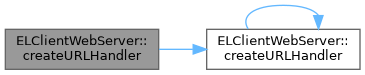
| URLHandler * ELClientWebServer::createURLHandler | ( | const char * | URL | ) |
Creates and registers an URL handler.
createURLHandler(const char * URL)
This method is responsible for creating and registering an URL handler object.
| URL | The URL the handler handles. URL is "/" + the HTML file name + ".json". |
Definition at line 95 of file ELClientWebServer.cpp.
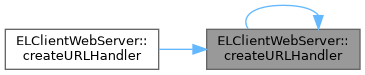
| URLHandler * ELClientWebServer::createURLHandler | ( | const String & | URL | ) |
Creates and registers an URL handler.
createURLHandler(const String &URL)
This method is responsible for creating and registering an URL handler object.
| URL | The URL the handler handles. URL is "/" + the HTML file name + ".json". |
Definition at line 186 of file ELClientWebServer.cpp.
| void ELClientWebServer::destroyURLHandler | ( | URLHandler * | handler | ) |
Unregisters an destroys an URL handler.
destroyURLHandler(URLHandler * handler)
This method is responsible destroying an URL handler object.
| handler | The handler to destroy. |
Definition at line 209 of file ELClientWebServer.cpp.
| uint8_t ELClientWebServer::getArgBoolean | ( | ) |
Returns an HTML field value as boolean.
Returns an HTML field value as boolean. This method is used at setFieldCb. WebServer doesn't know the type of a field, every field arrives as string. This method converts the string to the expected type. Don't call this method outside of setFieldCb, otherwise it can reset/crash/freeze MCU.
Definition at line 1092 of file ELClientWebServer.cpp.
| float ELClientWebServer::getArgFloat | ( | ) |
Returns an HTML field value as float.
Returns an HTML field value as float. This method is used at setFieldCb. WebServer doesn't know the type of a field, every field arrives as string. This method converts the string to the expected type. Don't call this method outside of setFieldCb, otherwise it can reset/crash/freeze MCU.
Definition at line 1127 of file ELClientWebServer.cpp.
| int32_t ELClientWebServer::getArgInt | ( | ) |
Returns an HTML field value as integer.
Returns an HTML field value as integer. This method is used at setFieldCb. WebServer doesn't know the type of a field, every field arrives as string. This method converts the string to the expected type. Don't call this method outside of setFieldCb, otherwise it can reset/crash/freeze MCU.
Definition at line 1039 of file ELClientWebServer.cpp.
| char * ELClientWebServer::getArgString | ( | ) |
Returns an HTML field value as string.
Returns an HTML field value as string. Don't call this method outside of setFieldCb, otherwise it can reset/crash/freeze MCU.
Definition at line 1065 of file ELClientWebServer.cpp.
|
inlinestatic |
Returns the singleton web-server instance.
ELClientWebServer::getInstance()
Web-Server is a singleton object. This object can be read by calling ELClientWebServer::getInstance().
Definition at line 186 of file ELClientWebServer.h.
| void ELClientWebServer::setArgBoolean | ( | const __FlashStringHelper * | name, |
| uint8_t | value | ||
| ) |
Sets boolean value of a field.
setArgBoolean(const __FlashStringHelper * name, uint8_t value)
Sets boolean value of an HTML field. It can free up RAM memory if string constants are stored in flash instead of RAM.
| name | The name of the field (stored in flash) |
| value | Boolean value |
Definition at line 767 of file ELClientWebServer.cpp.

| void ELClientWebServer::setArgBoolean | ( | const char * | name, |
| uint8_t | value | ||
| ) |
Sets boolean value of a field.
setArgBoolean(const char * name, uint8_t value)
Sets boolean value of an HTML field.
| name | The name of the field |
| value | Boolean value |
Definition at line 729 of file ELClientWebServer.cpp.

| void ELClientWebServer::setArgFloat | ( | const __FlashStringHelper * | name, |
| float | value | ||
| ) |
Sets float value of a field.
setArgFloat(const __FlashStringHelper * name, float value)
Sets float value of an HTML field. It can free up RAM memory if string constants are stored in flash instead of RAM.
| name | The name of the field (stored in flash) |
| value | Float value |
Definition at line 1005 of file ELClientWebServer.cpp.

| void ELClientWebServer::setArgFloat | ( | const char * | name, |
| float | value | ||
| ) |
Sets float value of a field.
setArgFloat(const char * name, float value)
Sets float value of an HTML field.
| name | The name of the field |
| value | Float value |
Definition at line 967 of file ELClientWebServer.cpp.

| void ELClientWebServer::setArgInt | ( | const __FlashStringHelper * | name, |
| int32_t | value | ||
| ) |
Sets integer value of a field.
setArgInt(const __FlashStringHelper * name, int32_t value)
Sets integer value of an HTML field. It can free up RAM memory if string constants are stored in flash instead of RAM.
| name | The name of the field (stored in flash) |
| value | Integer value |
Definition at line 845 of file ELClientWebServer.cpp.

| void ELClientWebServer::setArgInt | ( | const char * | name, |
| int32_t | value | ||
| ) |
Sets integer value of a field.
setArgInt(const char * name, int32_t value)
Sets integer value of an HTML field.
| name | The name of the field |
| value | Integer value |
Definition at line 807 of file ELClientWebServer.cpp.

| void ELClientWebServer::setArgJson | ( | const __FlashStringHelper * | name, |
| const __FlashStringHelper * | value | ||
| ) |
Sets JSON value of a field.
setArgJson(const __FlashStringHelper * name, const __FlashStringHelper * value)
Sets JSON value to display an HTML field (list, table). It can free up RAM memory if string constants are stored in flash instead of RAM.
| name | The name of the field (stored in flash) |
| value | JSON value (stored in flash) |
Definition at line 450 of file ELClientWebServer.cpp.

| void ELClientWebServer::setArgJson | ( | const __FlashStringHelper * | name, |
| const char * | value | ||
| ) |
Sets JSON value of a field.
setArgJson(const __FlashStringHelper * name, const char * value)
Sets JSON value to display an HTML field (list, table). It can free up RAM memory if string constants are stored in flash instead of RAM.
| name | The name of the field (stored in flash) |
| value | JSON value |
Definition at line 500 of file ELClientWebServer.cpp.

| void ELClientWebServer::setArgJson | ( | const char * | name, |
| const char * | value | ||
| ) |
Sets JSON value of a field.
setArgJson(const char * name, const char * value)
Sets JSON value to display an HTML field (list, table).
| name | The name of the field |
| value | JSON value |
Definition at line 404 of file ELClientWebServer.cpp.

| void ELClientWebServer::setArgNull | ( | const __FlashStringHelper * | name | ) |
Sets null value to a field.
setArgNull(const __FlashStringHelper * name)
Sets null value to an HTML field. It can free up RAM memory if string constants are stored in flash instead of RAM.
| name | The name of the field (stored in flash) |
Definition at line 928 of file ELClientWebServer.cpp.

| void ELClientWebServer::setArgNull | ( | const char * | name | ) |
Sets null value to a field.
Sets null value to an HTML field.
| name | The name of the field |
Definition at line 888 of file ELClientWebServer.cpp.

| void ELClientWebServer::setArgString | ( | const __FlashStringHelper * | name, |
| const __FlashStringHelper * | value | ||
| ) |
Sets string value of a field.
setArgString(const __FlashStringHelper * name, const __FlashStringHelper * value)
Sets the string or inner HTML value of an HTML field. It can free up RAM memory if string constants are stored in flash instead of RAM.
| name | The name of the field (stored in flash) |
| value | String value (stored in flash) |
| HTML Field | Type |
|---|---|
| P | Inner HTML |
| DIV | Inner HTML |
| TR | Inner HTML |
| TH | Inner HTML |
| TD | Inner HTML |
| TEXTAREA | Inner HTML |
| SPAN | Inner HTML |
| INPUT | String value |
| SELECT | String value |
Definition at line 625 of file ELClientWebServer.cpp.

| void ELClientWebServer::setArgString | ( | const __FlashStringHelper * | name, |
| const char * | value | ||
| ) |
Sets string value of a field.
setArgString(const __FlashStringHelper * name, const char * value)
Sets the string or inner HTML value of an HTML field. It can free up RAM memory if string constants are stored in flash instead of RAM.
| name | The name of the field (stored in flash) |
| value | String value |
| HTML Field | Type |
|---|---|
| P | Inner HTML |
| DIV | Inner HTML |
| TR | Inner HTML |
| TH | Inner HTML |
| TD | Inner HTML |
| TEXTAREA | Inner HTML |
| SPAN | Inner HTML |
| INPUT | String value |
| SELECT | String value |
Definition at line 688 of file ELClientWebServer.cpp.

| void ELClientWebServer::setArgString | ( | const char * | name, |
| const char * | value | ||
| ) |
Sets string value of a field.
setArgString(const char * name, const char * value)
Sets the string or inner HTML value of an HTML field.
| name | The name of the field |
| value | String value |
| HTML Field | Type |
|---|---|
| P | Inner HTML |
| DIV | Inner HTML |
| TR | Inner HTML |
| TH | Inner HTML |
| TD | Inner HTML |
| TEXTAREA | Inner HTML |
| SPAN | Inner HTML |
| INPUT | String value |
| SELECT | String value |
Definition at line 564 of file ELClientWebServer.cpp.

| void ELClientWebServer::setup | ( | ) |
Initializes web-server.
Initialization means to subscribe to Web-Server callback of Esp-Link.
Definition at line 264 of file ELClientWebServer.cpp.

 1.9.8
1.9.8